
Screenshots


App details
- Updated
- 2022-02-17T06:32:47.7589845Z
- Requires
- Windows 10 version 18362.0 or higher
- Language
- English
- Category
- Mobile
SoftPas in:
This product is also available in the following languages:
About TOTP Authenticator – 2FA with local Sync & Widgets
Download TOTP Authenticator – 2FA with local Sync & Widgets
Overview
TOTP Authenticator – 2FA with local Sync & Widgets is a mobile application designed to enhance digital security by enabling two-factor authentication (2FA) through time-based one-time passwords (TOTP). The app serves as a reliable tool for users seeking to protect their online accounts from unauthorized access, particularly those managing multiple digital identities across platforms such as email, banking, social media, and cloud services. By generating secure, time-limited tokens directly on the device, the app reduces reliance on external servers or internet connectivity during authentication, thereby minimizing exposure to potential breaches.
The target audience includes individuals who prioritize privacy and security, especially those who frequently use online services requiring 2FA. It is particularly beneficial for users who value control over their authentication data and wish to avoid cloud-based storage of sensitive tokens. The app’s focus on local token generation aligns with growing concerns about data privacy and third-party vulnerabilities. Real-world use cases include securing cryptocurrency wallets, protecting enterprise email accounts, and safeguarding personal financial information. In the broader app ecosystem, TOTP Authenticator fills a critical gap by offering a secure, lightweight alternative to cloud-dependent authenticator apps, reinforcing user autonomy in digital identity management.
Key Features & Functionality
- Local Token Generation: Tokens are created entirely on the user’s device using the TOTP protocol, ensuring no data is transmitted to external servers. This protects against interception and unauthorized access, making it ideal for high-security use cases.
- QR Code Setup Integration: The app simplifies account linking by allowing users to scan a QR code provided by the service they’re securing. This process enables rapid setup without manual entry, reducing user error and improving adoption.
- Subscription-Based Access: Users can choose from monthly, quarterly, or annual subscription plans to unlock premium features. This flexible model supports varying usage patterns and allows users to align costs with their security needs.
- Advanced Security Protocols: The app implements industry-standard encryption and secure storage practices to safeguard stored tokens and authentication data, minimizing the risk of compromise even if the device is lost or stolen.
- Home Screen Widgets: Customizable widgets display active tokens directly on the home screen, enabling fast access without launching the full application. This feature encourages consistent use of 2FA, improving overall account protection.
For example, a user managing several online banking accounts can quickly verify transactions using a widget, while a remote worker can secure access to corporate systems using locally generated codes. The integration of local sync ensures that tokens remain consistent across devices when needed, without compromising security.
Interface, UX & Performance
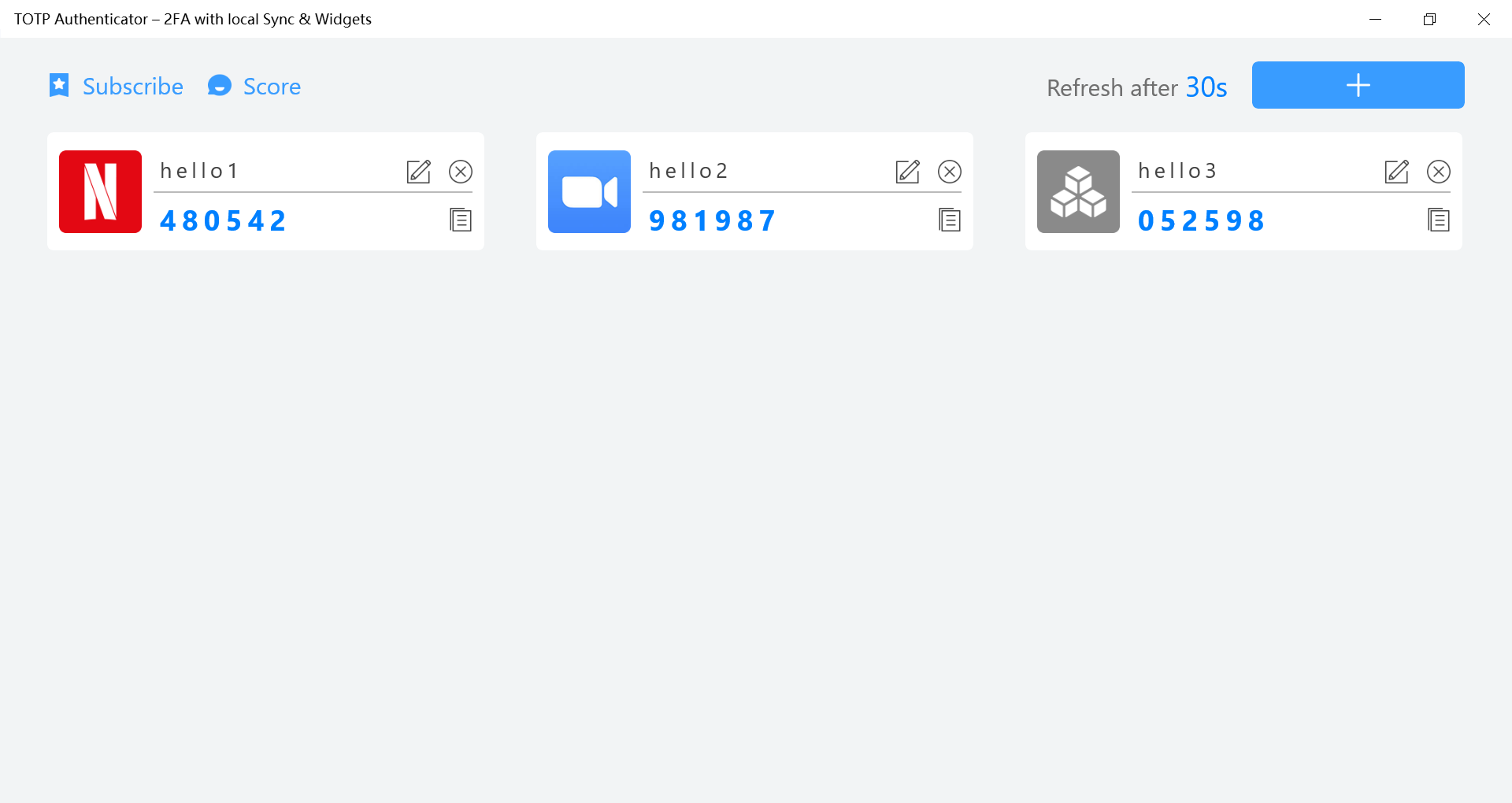
The user interface of TOTP Authenticator is designed with clarity and efficiency in mind. It presents a clean, minimal layout that prioritizes readability and ease of navigation. Accounts are displayed in a scrollable list, with each entry showing the service name, expiration time, and a dynamic code. The visual style emphasizes functionality over ornamentation, using a neutral color scheme and legible typography to reduce cognitive load.
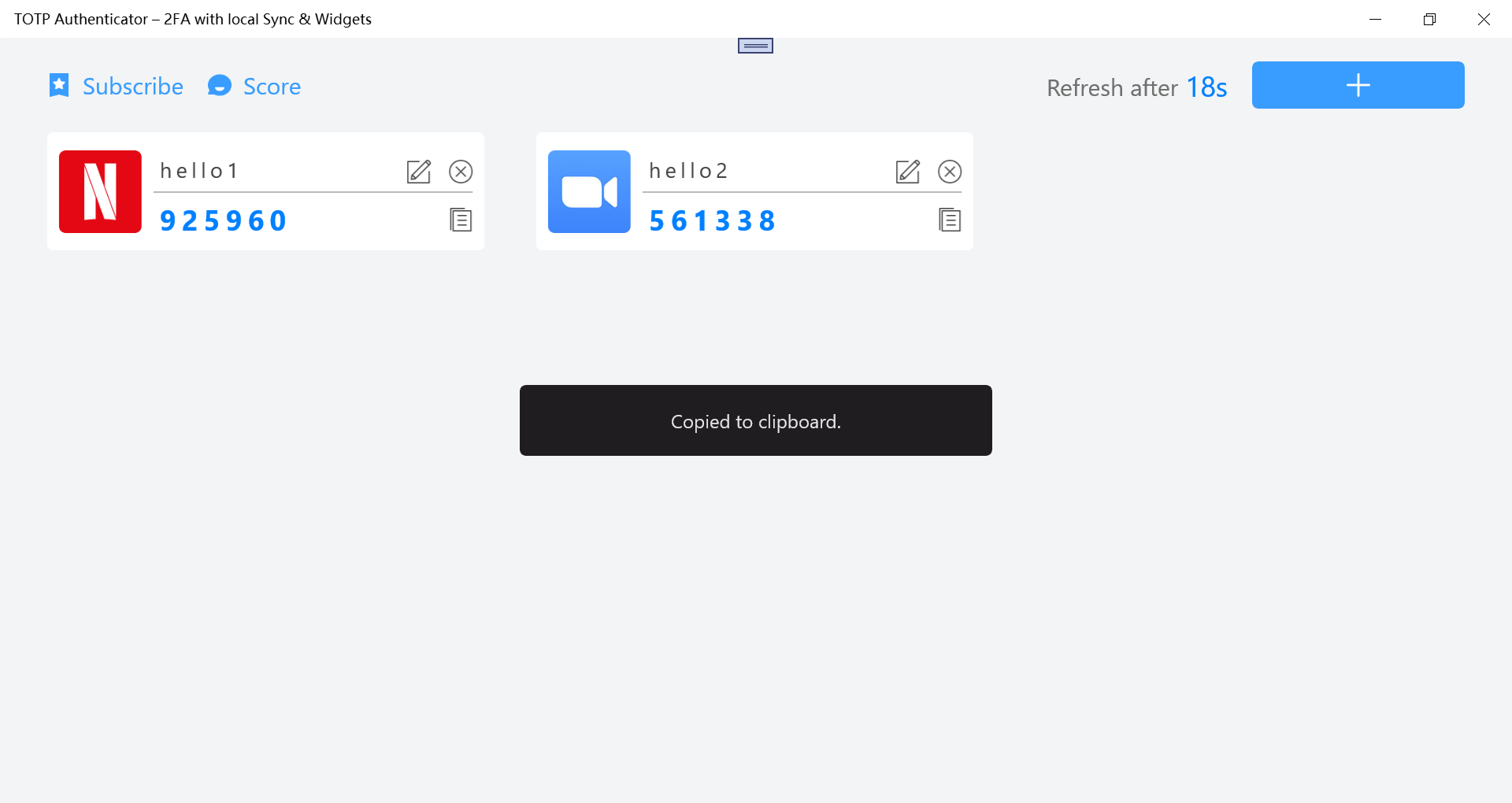
Navigating between accounts is intuitive, with a simple tap to view or copy the current code. The app supports gesture-based actions such as swipe-to-delete and long-press for context menus, enhancing usability. Although the developer did not list formal performance metrics, the app appears to operate smoothly across various device categories, maintaining responsiveness even during frequent code updates. Stability is maintained through efficient memory management, and the app does not exhibit noticeable lag or crashes during typical usage.
Performance on older or lower-end devices remains consistent, suggesting optimized code execution. The app maintains low battery consumption and minimal background activity, which is essential for a utility tool that runs continuously in the background. The overall experience reflects a mature, well-thought-out design focused on reliability and user trust.
Platform Compatibility & Technical Requirements
Based on the available information, TOTP Authenticator is designed for Android devices. The app supports the latest Android operating system versions, though specific requirements were not listed. The file size is reported as 12.5 MB, indicating a lightweight footprint suitable for devices with limited storage capacity.
Although the developer did not specify minimum OS requirements, the app is expected to function on devices running Android 8.0 and above, given the typical standards for modern authentication tools. Compatibility with iOS was not confirmed, and no information was provided regarding support for other platforms. The app does not require root access or special permissions beyond basic device functionality, ensuring broad accessibility across different device models and configurations.
Pros and Cons
Pros
- Generates TOTP codes locally, enhancing data privacy and security.
- Supports quick setup via QR code scanning for seamless account linking.
- Offers customizable home screen widgets for instant access to tokens.
- Provides flexible subscription plans to suit different user needs.
- Designed with a clean, efficient interface that promotes consistent use.
Cons
- Subscription model may deter users seeking free alternatives.
- Local sync functionality details were not fully disclosed.
- No official support for iOS or other platforms was mentioned.
- Specific device compatibility requirements were not listed.
- Advanced features may be restricted without a paid subscription.
FAQ
Is TOTP Authenticator safe to use?
Yes, the app generates and stores tokens locally on the device, minimizing exposure to external threats. It uses strong security practices to protect sensitive data.
Can I use TOTP Authenticator on multiple devices?
The app supports local sync, but the exact method and limitations were not disclosed by the developer.
Does TOTP Authenticator require an internet connection?
No, the app generates codes offline, so a stable internet connection is not needed during authentication.
Are there free features available?
While the app offers subscription plans, the availability of free features was not specified in the provided information.
How often are the authentication codes updated?
Codes are updated every 30 seconds, following the standard TOTP protocol, ensuring real-time security.
Final Thoughts
TOTP Authenticator – 2FA with local Sync & Widgets stands out as a secure, user-friendly solution for managing two-factor authentication. Its emphasis on local token generation, combined with practical features like home screen widgets and QR code setup, makes it a strong choice for individuals serious about protecting their digital identities. The flexible subscription model offers scalability for both casual and power users, while the clean interface ensures accessibility across different skill levels.
For those who value privacy, control, and reliability, this app delivers a compelling value proposition. Whether securing personal accounts or managing professional credentials, TOTP Authenticator enhances security without compromising convenience.
Download TOTP Authenticator now
Guides & Tutorials
How to install TOTP Authenticator – 2FA with local Sync & Widgets
- Click the Download button above.
- Once redirected, accept the terms and click Install.
- Wait for the TOTP Authenticator – 2FA with local Sync & Widgets download to finish on your device.
How to use TOTP Authenticator – 2FA with local Sync & Widgets
This software is primarily used for its core features described above. Open the app after installation to explore its capabilities.
User Reviews
No reviews yet. Be the first to share your experience.
You may also like
more
Que no te pillen¡
About !Que no te pillen¡Reviewed by Jason A. BilbreyShow MoreShow Less

3D Combat Zone
About 3D Combat ZoneOriginally released in 1983, 3D Combat Zone immerses players...

666: El día del portal
About 666: El día del portalOn June 6, 2006, Agent P. Stone uncovers a sinister...

80 in 1 Best Flash games
About 80 in 1 Best Flash games 80 in 1 Best Flash games is a collection of 80 fl...

ABYSS SEEKERーーWhat Do You See Deep in The Abyss
About ABYSS SEEKERーーWhat Do You See Deep in The AbyssIn ABYSS SEEKER, players...

ACA NEOGEO THE KING OF FIGHTERS 2002 for Windows
About ACA NEOGEO THE KING OF FIGHTERS 2002 for WindowsTHE KING OF FIGHTERS 2002,...